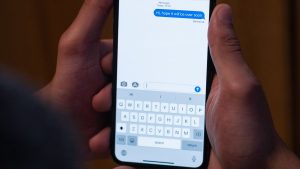
You press send, read it back, and want it gone. Whether you can actually pull that message off the other phone depends on one thing: which messaging system carried it. An iMessage can be taken back. A green bubble text cannot, no matter which button you press.
This guide covers how to unsend a text message on an iPhone and in Google Messages on Android, how long you get, what the other person sees afterward, and the cases where the two platforms do not agree with each other. Every limit below comes from the documentation each company puts out for its own app: Apple’s iPhone User Guide, iOS 27 edition, and the Google Messages help pages, all read on 28 November 2026. Apple keeps five editions of that guide published side by side and they do not word this subject identically, so the edition matters as much as the date.
The short answer, by message type
- iMessage, blue bubble: yes. Touch and hold the bubble and tap Undo Send, within two minutes of sending.
- SMS or MMS sent from an iPhone, green bubble: no. Apple states that these cannot be unsent.
- RCS sent from an iPhone, also green: no, for the same reason.
- Editing a green bubble message from an iPhone: not in a one to one chat, but Apple documents an exception for group conversations. That is editing only, and it is covered further down.
- Google Messages on Android: there is a Delete for everyone option in the touch and hold menu, which Google describes as removing the message for everyone.
- Whether the recipient has already read it: the only documented statement either company makes is Google’s, and it is about editing. Neither publishes a rule about read status for unsending, so treat that as unknown rather than as permission.
Everything after this is the detail behind those five lines. Knowing how to unsend a text message is less about finding the button than about knowing which of those five rows you are standing in, because the exceptions are where people get caught out.
How to unsend a text message on an iPhone
Apple calls the feature Undo Send, and it lives in the touch and hold menu rather than in Settings. The steps in the iPhone User Guide page on unsending and editing messages are short:
- Open the Messages app and go to the conversation.
- Touch and hold the message bubble you regret.
- Tap Undo Send.
Apple puts the limit at two minutes. Its support article How to unsend messages on your iPhone, published 27 May 2026, says you can unsend a message for up to two minutes after you send it, and that the message disappears and a notification reading “You unsent a message” appears in its place.
The requirement most people miss
Undo Send is not purely a feature of your phone. The guide states that to unsend or edit text messages, or to see when others unsend or edit messages you receive, you must be using iMessage with iOS 16, iPadOS 16.1, macOS 13, visionOS 1, or later. That applies to the person receiving the message as much as to you.
If the recipient is running something older, Apple is blunt about the result: the original message remains in the conversation, and you are notified that the recipient may still see the original message. So the tap can succeed on your screen and change nothing on theirs. The support article puts the same point more briefly, saying your contact might still see the message.
What the other person sees when it works
Unsending is not silent. Apple says a note confirming that you unsent the message appears in both conversation transcripts, yours and your recipient’s, and that unsending removes the message from your recipient’s device. The words go away. The fact that you sent something does not.
Editing is a different tool with a different clock
People reach for Undo Send when editing would serve them better, and the two windows are not the same length. Apple allows a sent message to be edited up to five times within 15 minutes of sending it, against two minutes to unsend an iMessage outright. The message is marked as Edited in the transcript, and both of you can tap Edited to see previous versions.
Editing has its own older device case, and it is worse than the unsend one. If you edit a message to someone using an earlier operating system, Apple says they receive follow-up messages with the preface “Edited to” and your new message in quotation marks. They end up with both versions side by side.
The group conversation exception, which applies to editing only
The bar on green bubble messages is not quite absolute, and this is the part worth reading carefully, because the current edition of the guide states it less directly than the older ones do. The iOS 27 edition says you cannot edit or unsend SMS, MMS, or RCS text messages, then adds that if you edit a text message in a group conversation, only iMessage users will see your edits.
The iOS 26 edition of the same Apple guide page, still published alongside it, spells the exception out: SMS, MMS, or RCS text messages cannot be edited or unsent, however SMS, MMS, or RCS text messages can be edited in a group conversation as long as there is at least one other iMessage user in the group. The iOS 18 edition carries that same sentence.
So the accurate version is narrower than a flat no. From an iPhone you cannot edit a green bubble message in a one to one chat, and you cannot unsend one anywhere, in any edition, ever. You can edit one inside a group conversation that contains at least one other iMessage user, and only the iMessage members of that group will see the edit. Unsending has no equivalent exception.
A fix for a typo is worth an edit. A message sent to the wrong person is worth the two minute window and nothing less.
How to unsend a text message in Google Messages on Android
Google documents a Delete for everyone action in the menu that appears when you touch and hold a message. The Google Messages help page on touch and hold quick actions lists it alongside Delete and Delete for me, and describes the three this way: Delete removes the message from your conversation history, Delete for everyone removes the message for everyone, and Delete for me removes the message for yourself.
- Open Google Messages and open the conversation.
- Touch and hold the message you sent.
- Choose Delete for everyone from the menu.
One thing worth stating directly: Google does not publish a time limit for Delete for everyone. The help page lists the option with no window attached to it. Google does publish a window for the Edit option on the same page, which it says is only visible in the menu within 15 minutes after you send the message. Treat the absence as what it is. The documented 15 minutes belongs to editing, and any figure you see attached to the Android unsend is not something Google has put in writing.
Editing in Google Messages reaches further than Apple’s
Google’s Update a sent message help page says you can edit an RCS, SMS, or MMS message after you send it, and that the ability expires after 15 minutes regardless of whether the recipient has read the message or responded to it. It also says editing works in a one-on-one conversation with iPhone users who also have RCS chats turned on, and in group RCS chats even if other participants do not have editing capabilities. Editing is enabled in the app only, not on the web interface.
Over SMS the edit arrives as a second message. Google says the recipient receives another message that starts with an asterisk, and that a recipient whose app does not support the feature gets a new message marked the same way. An “Edited” label appears above the message for sender and recipient both.
Where the two platforms genuinely disagree
This is the part that catches people texting across the divide, and the two companies do not describe the same world.
Apple’s guide says you cannot edit or unsend SMS, MMS, or RCS text messages, with the group conversation exception above sitting on the editing half of that sentence. Google’s documentation is broader on editing: an RCS, SMS, or MMS message can be edited from Google Messages for 15 minutes, in one to one chats as well as groups, including to an iPhone user who has RCS chats turned on.
Both statements are current, and both are about the same conversation seen from opposite ends. The practical reading is this. The app you are holding decides what you can take back, not the app on the other phone. An Android user can edit a message they sent to an iPhone, in any conversation. The iPhone user can edit the reply they send back over that same RCS thread only if it is a group conversation with another iMessage user in it, and cannot unsend it in any case. If you want the ability to pull a message back from an iPhone, the conversation has to be iMessage, which means blue bubbles on both sides.
Neither company publishes a cross platform guarantee for unsending, and this is an area that changes with operating system releases, so the version numbers above matter as much as the steps.
Why the green bubble has no undo
Bubble color is the fastest way to know whether you have an undo at all. Apple’s iMessage overview page in the iPhone User Guide explains that texts between people using iMessage on Apple devices appear in blue bubbles, while SMS, MMS, and RCS messages appear in green bubbles, and that a green send button indicates the message is going out as SMS, MMS, or RCS. A green bubble means the two minute window does not exist for that message.
Apple also notes that RCS is provided by your cellular carrier, not by Apple, and that you need a text-messaging plan from a carrier that supports it. Google’s page explaining RCS messaging adds that RCS is now available for Android and select iPhone devices, provided by Google or your carrier under your carrier’s terms of service. Which of those you are on is something your carrier decides, which is part of why behavior varies between two people with the same handset.
If the blue against green distinction is new to you, our guide to what MMS messaging is and how SMS, MMS, RCS and iMessage differ walks through which system carries which message.
Deleting a message is not the same as unsending it
This is the single most common mistake, and Apple answers it in one line. The guide page on deleting messages and attachments on iPhone says you can delete text messages, attachments, and entire conversations from your iPhone anytime, without affecting what your recipients see. Deleting tidies your phone. It does nothing to theirs.
The same page points to Undo Send as the way to retract a message within two minutes, deleting it from both your phone and your recipient’s phone, and notes that deleted messages and attachments remain in your Recently Deleted folder for up to 30 days, where you can recover them.
Google Messages works the same way on this point, with its own recovery window. Its help page on the Trash folder says you can retrieve deleted messages from the Trash folder within 30 days, and that once you delete a conversation from the Trash folder you cannot restore it.
When the window has closed
Past two minutes on an iMessage, or on any green bubble message, there is no supported way to remove what you sent from someone else’s phone. What is left is ordinary:
- Send a short correction in the same thread rather than a long explanation. The original is already read or it is not.
- If the message went to the wrong person, say so directly. A one line correction reads better than silence followed by a deletion they can still see.
- If it was a typo inside the first 15 minutes, edit rather than apologize. Both platforms document a 15 minute edit window.
- Check the bubble color before you send next time. That is the whole difference between having an undo and not having one.
Taken together, how to unsend a text message comes down to two clocks and one color check: two minutes to unsend an iMessage, 15 minutes to edit on either platform, and a green bubble that rules the first one out on an iPhone entirely.
Frequently asked questions
How do I unsend a message that’s already sent?
It depends on the app that sent it. In Messages on an iPhone, touch and hold the bubble and tap Undo Send, which Apple allows for up to two minutes and only for iMessage. In Google Messages on Android, touch and hold the message and choose Delete for everyone, which Google describes as removing the message for everyone. A plain SMS or MMS sent from an iPhone cannot be unsent at all.
Why can’t I unsend a message on my iPhone?
Three reasons cover almost every case. The message was green, meaning it went as SMS, MMS or RCS, and Apple states that none of those can be unsent from Messages. More than two minutes have passed. Or the requirement was not met on both ends, because Apple needs iMessage with iOS 16, iPadOS 16.1, macOS 13, visionOS 1 or later for the feature to work.
When you delete a text message on iPhone, can the other person still see it?
Yes. Apple states that you can delete text messages, attachments and entire conversations from your iPhone anytime, without affecting what your recipients see. Deleting clears your copy only. Undo Send is the action that removes a message from the recipient’s device, and it works for iMessage within two minutes.
Can you delete a text message before someone reads it?
You can try, and speed is what matters, but be careful about what is actually documented here. Apple sets Undo Send by the clock, two minutes from sending. The one published statement about read status belongs to Google and it is about editing: the 15 minute editing window applies regardless of whether the recipient has read the message or responded to it. Neither company publishes a rule tying unsending to whether the message was read, so treat that as undocumented rather than as a green light. Acting fast helps because the message is less likely to have been seen.
Can I delete a text message if I accidentally sent it to the wrong person?
If it was an iMessage and you act within two minutes, Undo Send removes it from their device and leaves a note in both transcripts saying a message was unsent. If it was a green bubble message from an iPhone, no. In Google Messages, Delete for everyone is the equivalent action. Where none of those apply, a short correction in the same thread is the only honest option.
Can I unsend a text after I send it?
For iMessage, yes, for up to two minutes. For SMS, MMS and RCS sent from an iPhone, no, because Apple says Messages cannot edit or unsend those. In Google Messages on Android there is a Delete for everyone action, and Google publishes no time limit for it, although it does publish 15 minutes for editing.
Why can’t I unsend an iMessage after 2 minutes?
Two minutes is the limit Apple sets for Undo Send, and the option disappears from the touch and hold menu once it passes. Editing runs on a longer clock, up to five edits within 15 minutes of sending, so a message you want to correct rather than remove may still be reachable after the unsend window has gone.
Will the other person know if I delete a message text now?
If you delete it on your own phone, no, because deleting does not change their copy or notify them. If you unsend it, yes. Apple says a note confirming that you unsent the message appears in both conversation transcripts, so the recipient sees that something was withdrawn even though the words are gone.
Can I unsend an iMessage that has been delivered?
Yes, as long as you are inside the two minute window and both devices meet Apple’s requirement of iMessage on iOS 16, iPadOS 16.1, macOS 13, visionOS 1 or later. Apple states the limit as two minutes from sending and does not document delivery as a separate condition either way, so the clock is the thing to go by. What Apple does document is the older operating system case: the original message remains in the conversation and you are notified that the recipient may still see it.
Can I delete a text message on both ends?
Only through unsending, and only where the platform supports it. Undo Send on an iPhone removes an iMessage from the recipient’s device within two minutes. The Google Messages action that removes a message for everyone is the Android equivalent. Ordinary deletion is one sided on both platforms, and both keep your deleted items recoverable for 30 days, in Recently Deleted on iPhone and in the Trash folder in Google Messages.